$ no account · no analytics · no servers of ours

SSH with
nothing to leak.

Shellkeep is a fast SSH and SFTP client for Mac, iPhone and iPad. Your hosts, keys and passwords live in one vault, encrypted on your device and synced only through your own iCloud. We never see any of it.

Coming soon to the App Store How your data stays yours

For Mac, iPhone and iPad. Free for unlimited hosts. Pro is a one-time purchase.
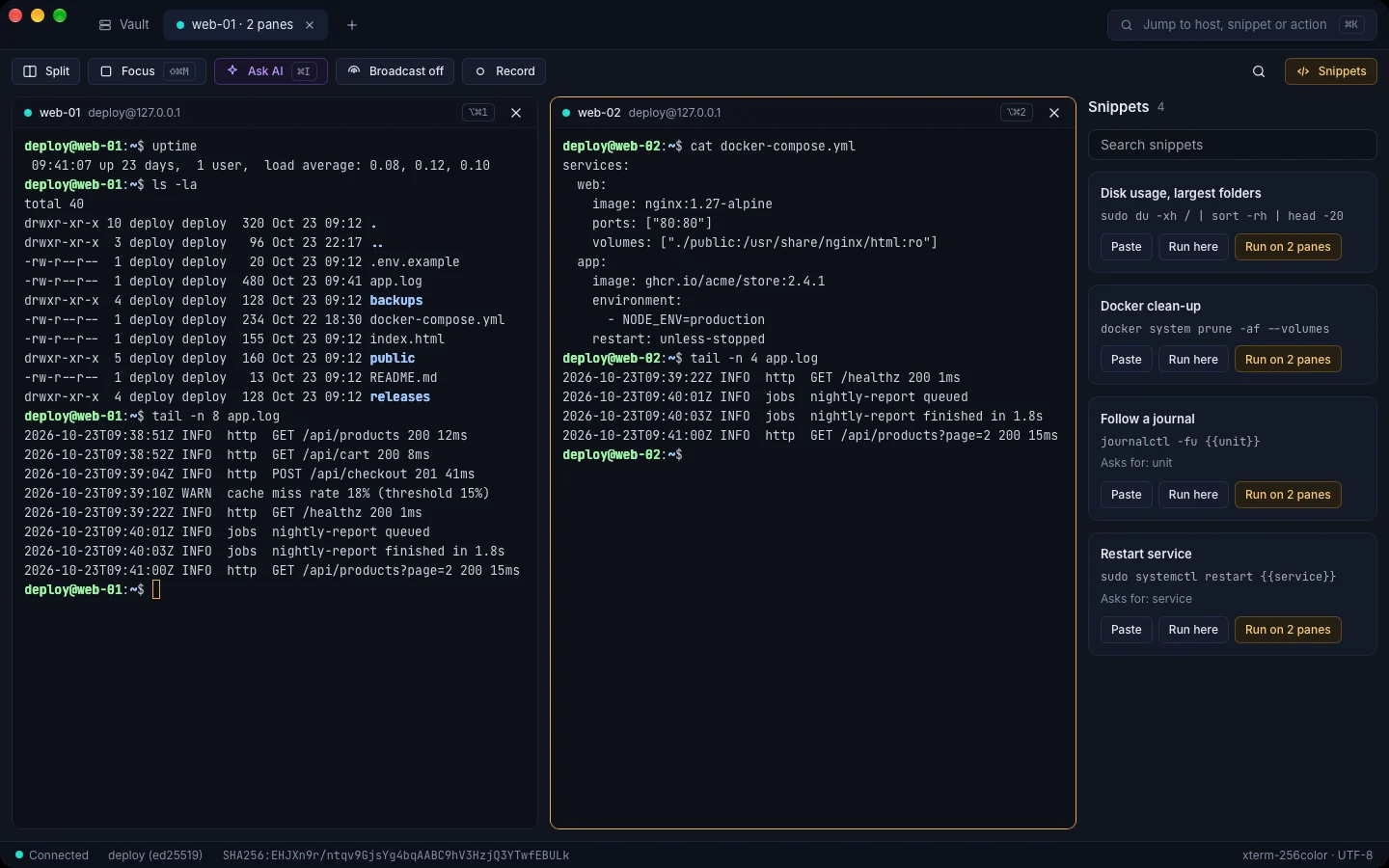
Shellkeep on a Mac: web-01 and web-02 in split terminal panes, with a Snippets panel offering to run a command on both panes
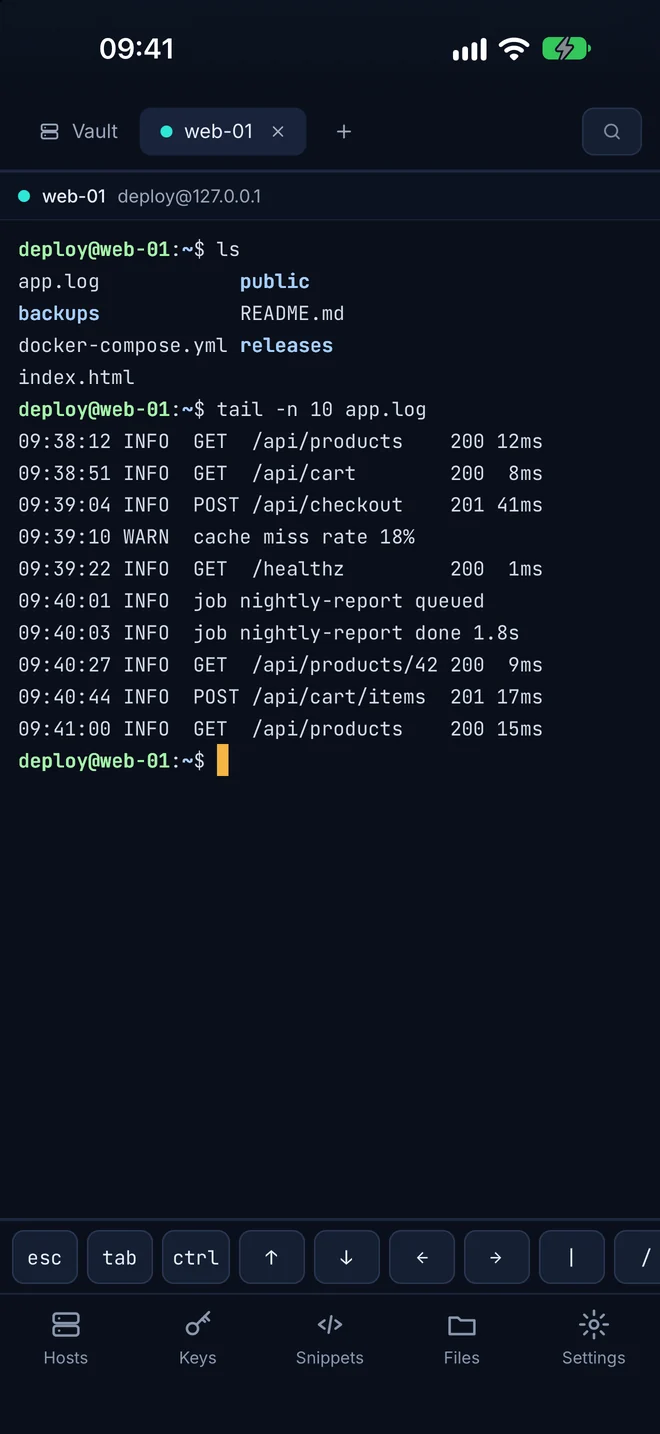
Shellkeep on iPhone: a terminal session on web-01 with a key bar for Esc, Tab, Ctrl and the arrows

Built like a bastion

Your secrets never touch our servers. We don't have any.

Most SSH apps want an account and keep your hosts in their cloud. Shellkeep connects straight from your device to your servers, and keeps everything else in one vault that is encrypted before it leaves your hands.

  • XChaCha20-Poly1305 with Argon2id
  • Face ID and Touch ID unlock
  • Strict host key checking
  • No ads, analytics or trackers
  • AI help is off until you turn it on
  • Support reports you create and send yourself

Read the privacy policy

Your device connects directly to your servers over SSH, and stores an encrypted vault in your own iCloud Drive. There is no Shellkeep server in between. Your serversSSH, direct Your iCloudencrypted vault Your device Shellkeep serversthere aren't any

Everything you reach for, nothing in the way

Built for people who live in a terminal: sysadmins, developers and homelab tinkerers. The free version has no host limit and no time limit.

A terminal that keeps up

Tabs, split panes, a command palette and proper xterm colours. Reconnects cleanly and remembers every host key it has trusted.

Files over SFTP

Two panes, drag to copy, uploads and downloads with progress, a quick text editor and permissions. On iPhone and iPad, downloads land in the Files app.

Keys, agents and jump hosts

Generate or import Ed25519 and RSA keys, connect through bastions in one step, and keep every key encrypted inside your vault.

Port forwarding

Local, remote and dynamic (SOCKS) forwards, saved with the host and started with one click, or automatically when Shellkeep opens.

Snippets and broadcast

Save the commands you type every week, with fill-in fields. Run one on a single pane, or with Pro, on every open pane at once.

AI command help

Ask in plain words and get a command, or paste one to have it explained. Uses your own Anthropic API key, off until you turn it on.PRO

Telnet and serial consoles

Reach old switches and routers over Telnet, directly or safely through an SSH jump host. On the Mac, plug in a USB console cable and open the console port like any other host.

Your own shell, too

A local terminal on the Mac opens your own shell in a tab, next to your servers. Press Shift-Command-T, or use the button in the tab bar.

Sessions that survive the train

Mosh keeps your session alive when Wi-Fi changes, your Mac sleeps or the signal drops in a tunnel. In 1.0 on Mac, iPhone and iPad: your server only needs the mosh package.
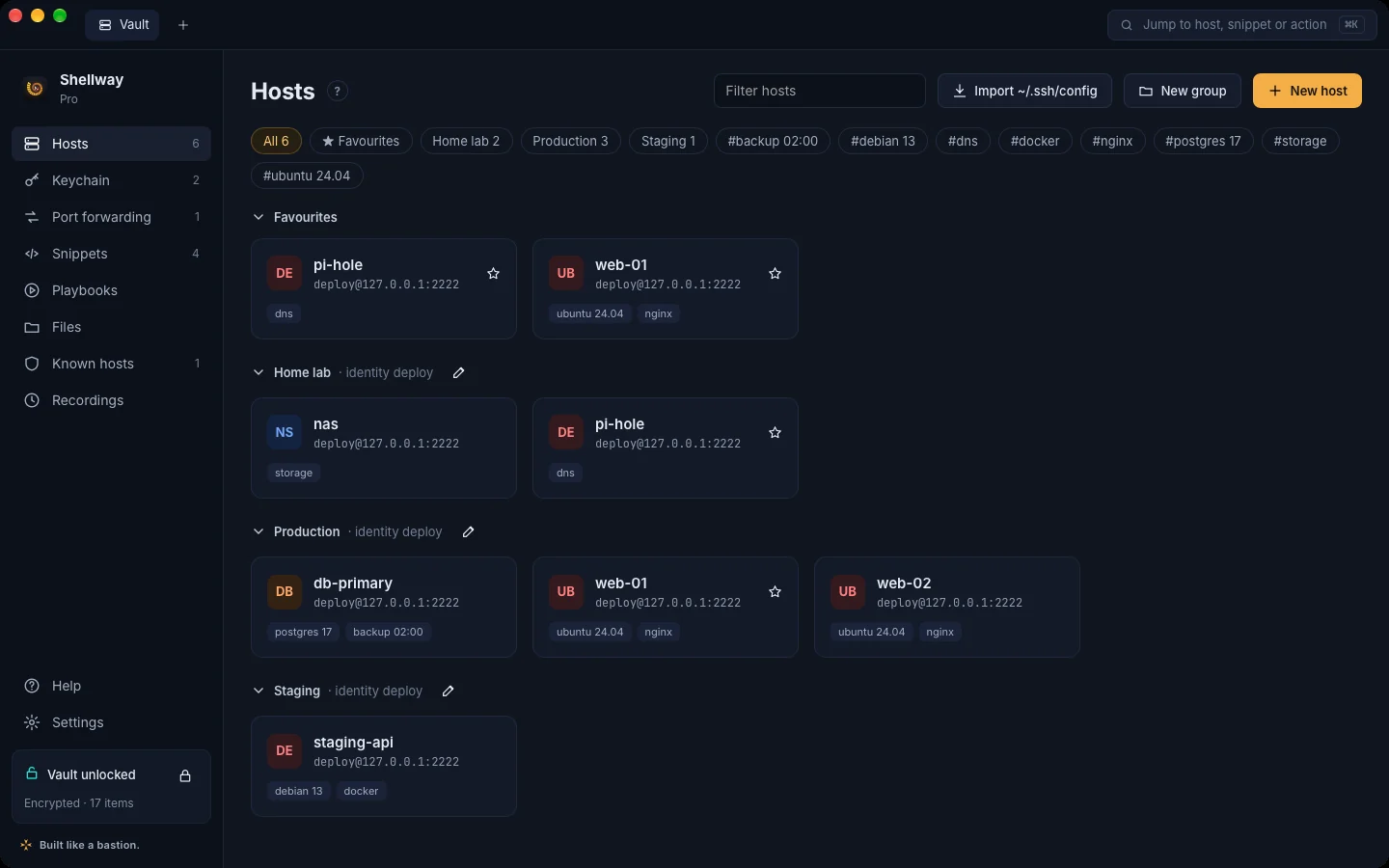
The Hosts view on a Mac: hosts grouped into Favourites, Home lab, Production and Staging, with tag filters

Hosts

Every server, sorted

Groups, tags and favourites, with logins, jump hosts and forwards that the hosts in a group inherit. Bring your existing ~/.ssh/config across in one step on the Mac.

Files

Move files without leaving the app

This Mac on one side, the server on the other. Drag between them, or drop files in from Finder.

Session recording is built into the Mac app too.PRO
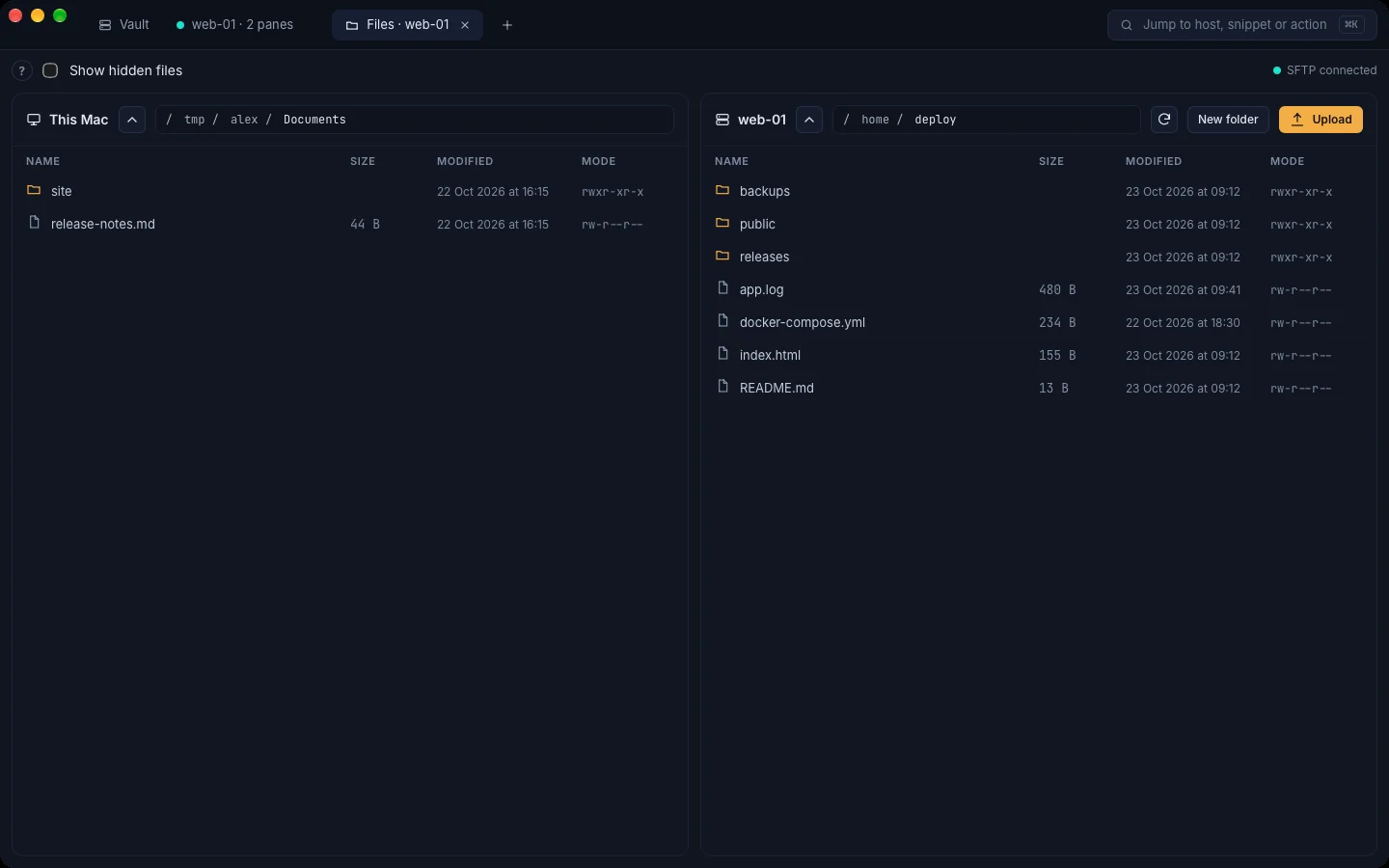
The Files view: a folder on this Mac on the left, the home folder on web-01 on the right
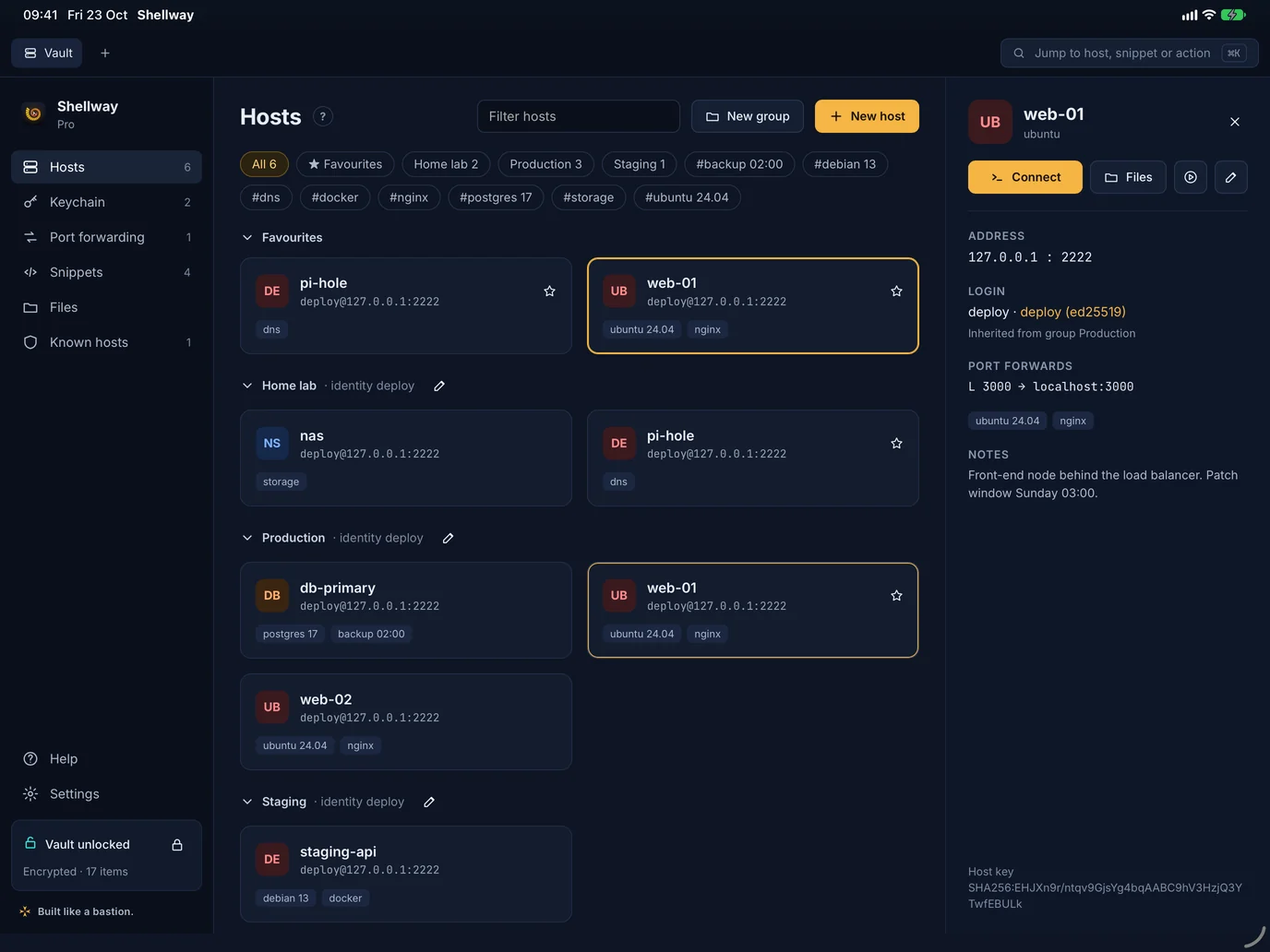
Shellkeep on iPad in landscape: the host list with the details of web-01 open beside it
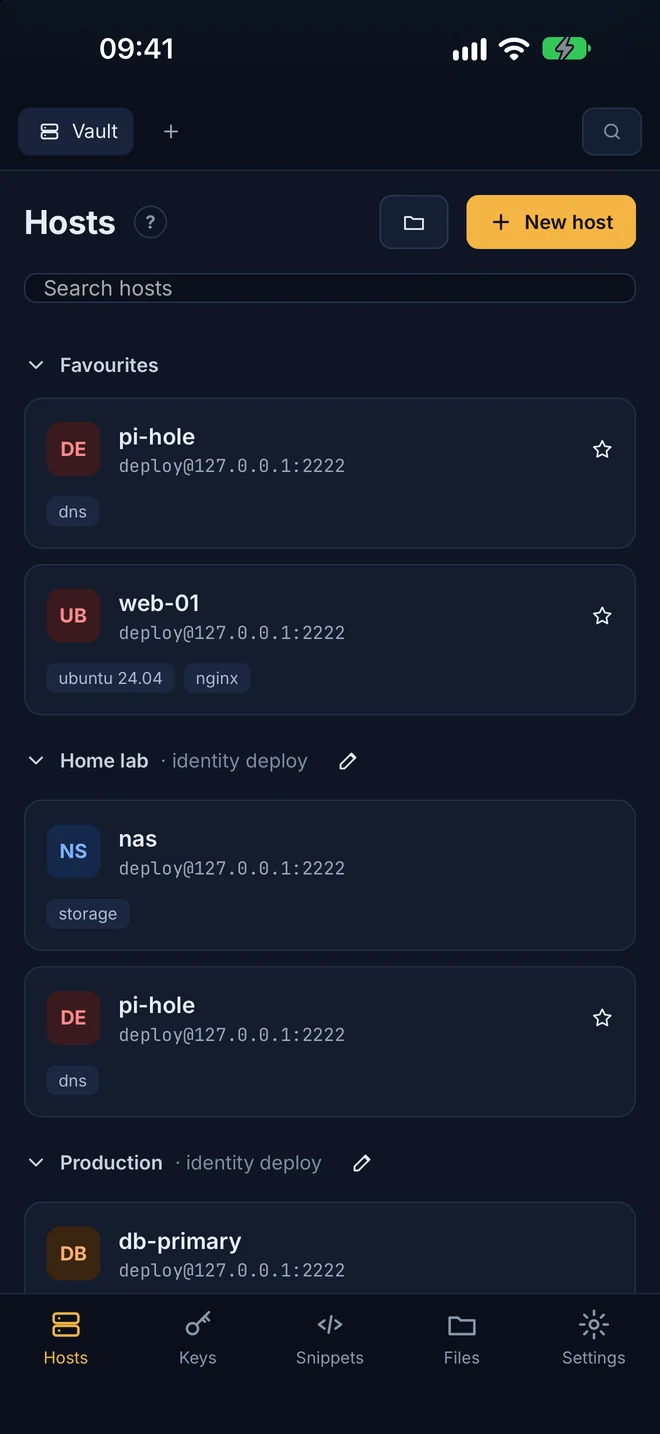
Shellkeep on iPhone: the host list grouped into Favourites, Home lab and Production

iPhone and iPad

The same vault in your pocket

Fix a server from the sofa, a train or a data centre floor. Your hosts and keys are already there, unlocked with Face ID or Touch ID.

A key bar puts Esc, Tab, Ctrl and the arrows under your thumb. The iPad app works in Split View and Slide Over, and the layout adapts when a foldable iPhone opens up.
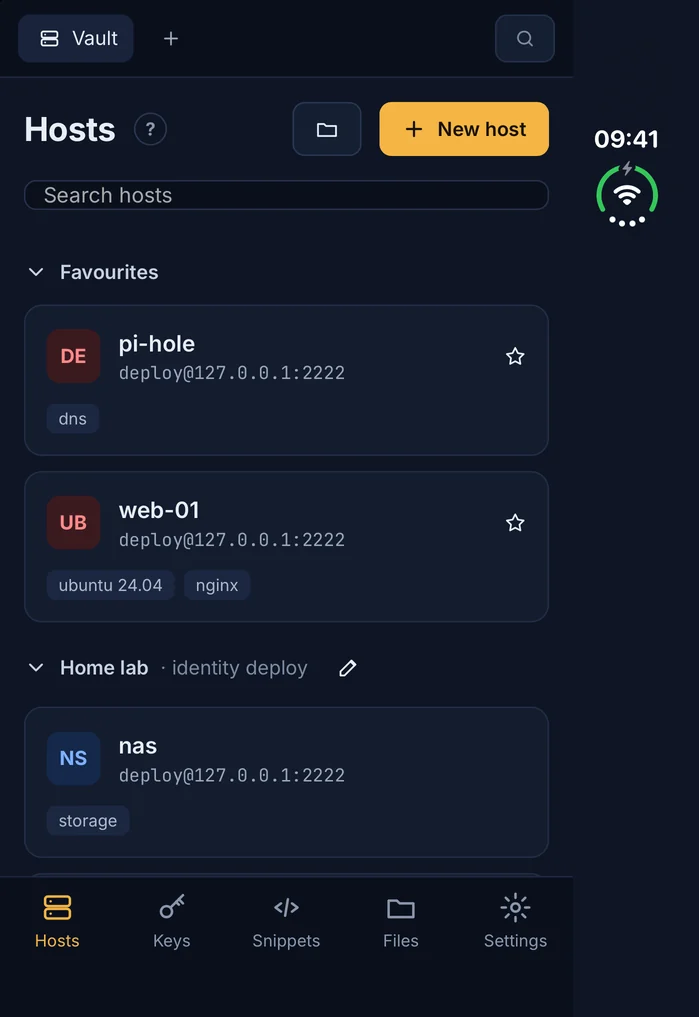
Shellkeep on the cover screen of a folded iPhone Duo, showing the host list
On the cover screen of a folded iPhone Duo.

Coming in 1.0

Version 1.0 is one big release, with everything below on board when it reaches the App Store. After that come updates and fixes, not a subscription. Everything still runs on your device and talks only to your own servers and clusters. Items marked BUILT are done and in testing.

Security and keys

  • Secure Enclave SSH keys that can never be copiedPROBUILT
  • Security-key (FIDO2) SSH keysPROBUILT
  • SSH certificates signed by your own CAPROBUILT
  • Face ID or Touch ID again before protected hostsPROBUILT
  • Agent forwarding that asks before each usePROBUILT
  • Key rotation across many servers, and an authorized_keys managerPROBUILT
  • Vault health check: weak keys, password-only hosts, reused passwordsPROBUILT
  • sudo passwords filled in after Face IDPROBUILT
  • One-time codes filled in after Face IDPROBUILT
  • Panic lock, SSHFP host-key checks and a printable recovery kitBUILT

Everyday work

  • Mosh on Mac, iPhone and iPadBUILT
  • Import from Termius
  • Workspaces: tabs, splits, forwards and file panes in one clickPROBUILT
  • tmux sessions that pick up where you left off, with HandoffPROBUILT
  • Fleet run: one snippet across a group, results side by sidePROBUILT
  • Command history and autocomplete per host, encryptedPROBUILT
  • Alerts when a long command finishes or something failsPROBUILT
  • Search inside your session recordingsPROBUILT
  • Images in the terminal, theme editor and iTerm2 colour schemesPROBUILT
  • Copy from tmux and vim to your clipboard, and clickable linksBUILT
  • Custom terminal fontsBUILT

Servers and files

  • Edit server files with syntax highlightingPROBUILT
  • CPU, memory, disk and uptime at a glancePROBUILT
  • Docker and Podman containers, systemd services and a live log viewerPROBUILT
  • Copy straight between two servers, and sync foldersPROBUILT
  • Share hosts as one encrypted file, opened with a codePROBUILT
  • Quick Look previews, checksums and zip in the Files paneBUILT
  • Wake-on-LAN, from this device or through a host on that networkBUILT
  • Ping, traceroute, DNS and port checksBUILT
  • SOCKS and HTTP proxies, and dots that show which hosts are upBUILT

OpenShift and Kubernetes

  • Sign in to clusters with oc login, a token or your kubeconfig, even through a jump hostPRO
  • Projects, pods, deployments and routes at a glance, production clearly markedPRO
  • A shell in any pod, live logs and port forwardsPRO
  • Scale, restart and roll back, with Face ID before anything destructivePRO
  • Builds, image streams, events and a problems list with alertsPRO
  • Cluster health, node debug and must-gather for adminsPRO
  • Secrets revealed only after Face ID; YAML edits with a diff and dry runPRO
  • Ask AI why a pod is failing, with your own key, off until you turn it onPRO
  • A ready-made oc and kubectl snippet pack

Apple devices

  • Shortcuts, Siri and Spotlight actionsPROBUILT
  • Port forwards from the Mac menu bar, open at loginPROBUILT
  • Live Activities for long commands and open tunnelsPROBUILT
  • Apple Watch: run a favourite snippet, see which hosts are upPROBUILT
  • A custom key bar and keyboard remaps on iPhone and iPadBUILT

Free to use. Pro is yours to keep.

Hosts, terminal, files, keys, port forwarding and sync are free, with no limits. Shellkeep Pro is a one-time purchase, never a subscription.

Pay for what you consume. Own what you purchase.

Free

€0
  • Unlimited hosts and groups
  • Terminal, SFTP and port forwarding
  • Keys, jump hosts and iCloud sync
  • Telnet, serial consoles and a local terminal

Bought once in the App Store and shared by every device signed in to the same Apple Account. Restore it any time from Settings. Coming soon

Made in Malta by Nicholas Xerri

Shellkeep is built by one developer who runs servers every day. The Maltese cross on every app is a nod to the bastions of Valletta, walls built to keep what matters safe. No ads, no data to sell: just a tool you pay for once and own.

Built like a bastion.